Introduction
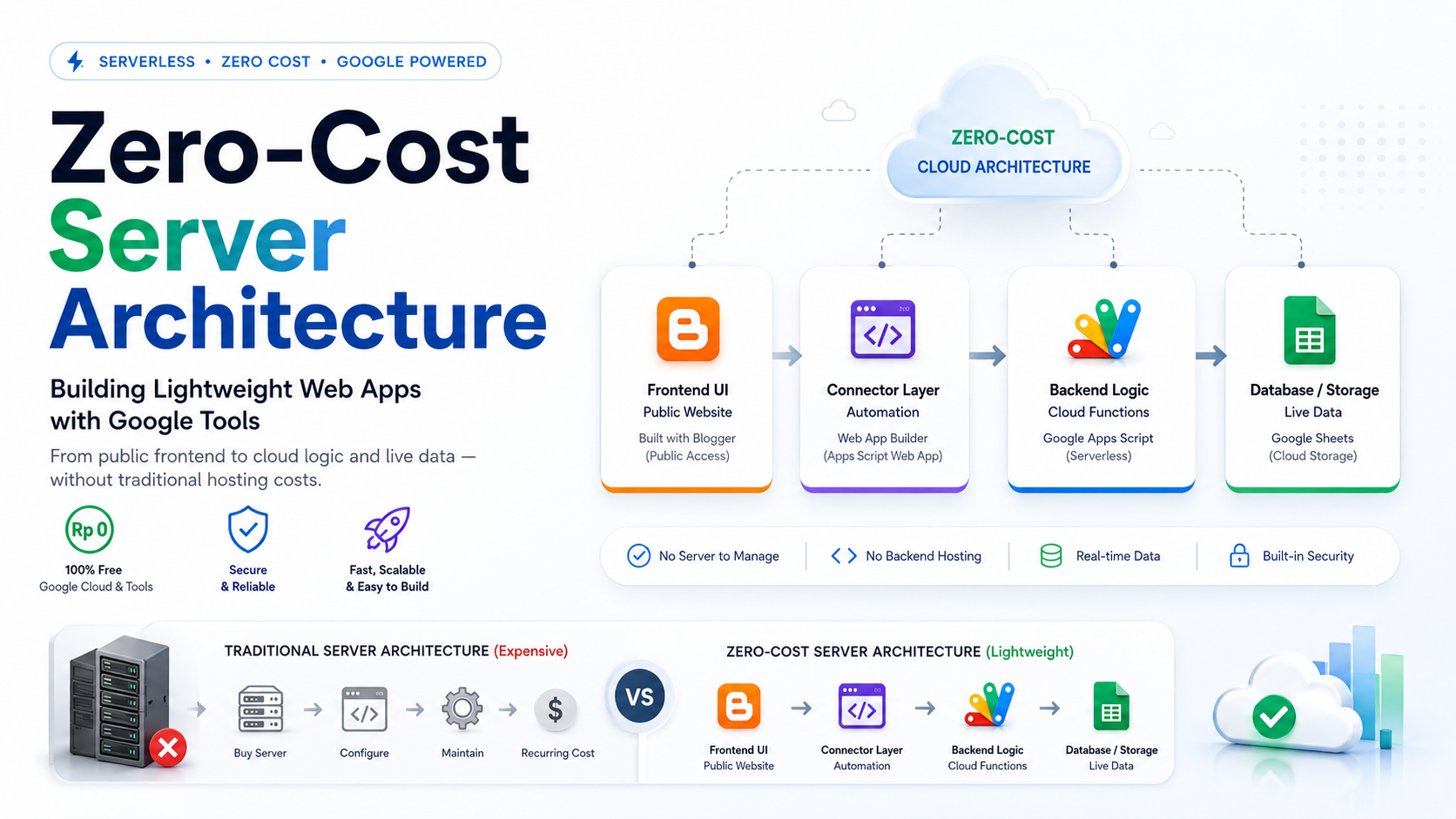
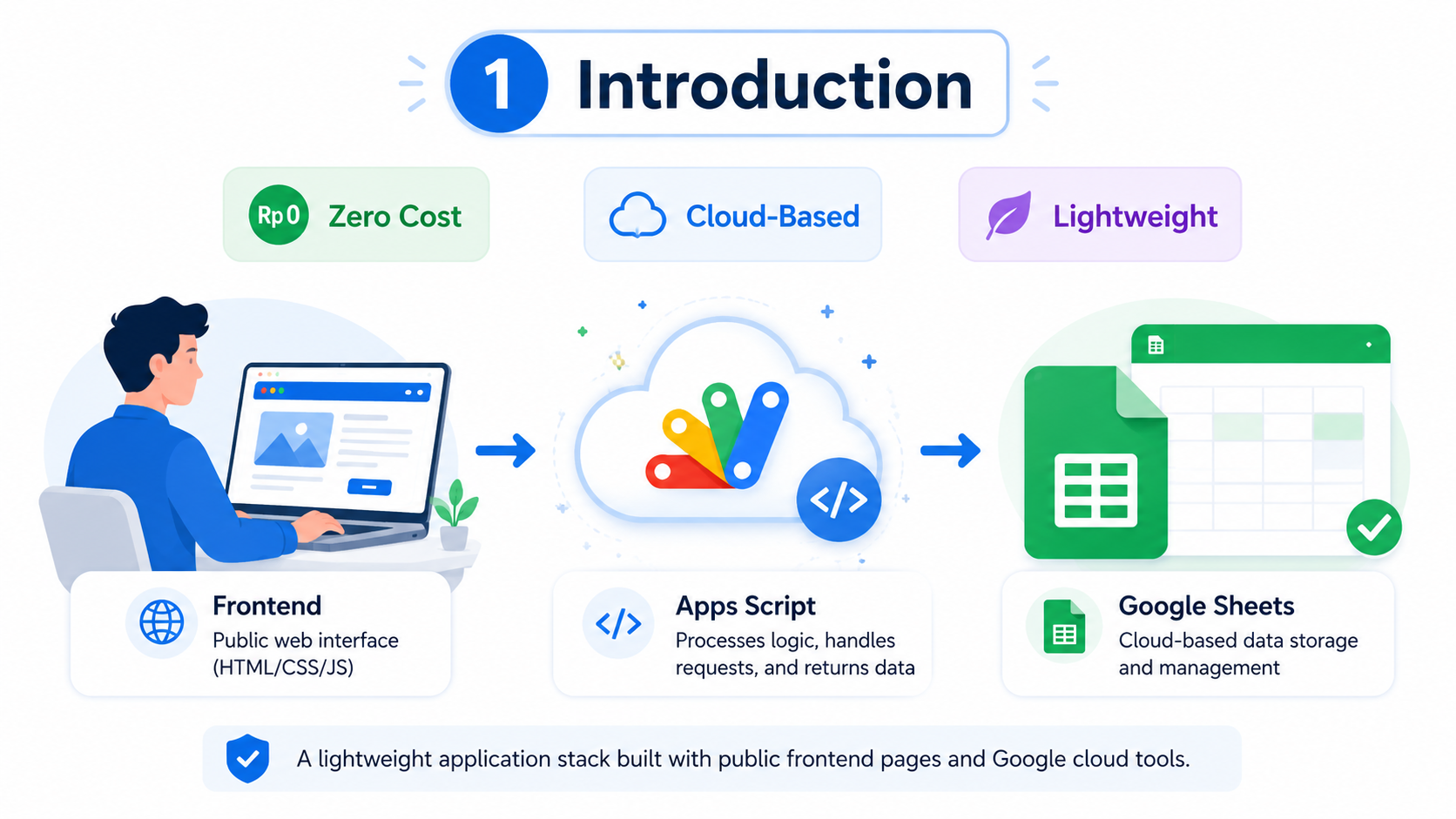
Building a web application does not always require an expensive server, complex deployment pipeline, or monthly hosting bill. For many small business tools, student projects, internal dashboards, form systems, attendance apps, and lightweight automation workflows, Google tools can be combined into a practical zero-cost architecture.
The idea is simple: use a public website as the interface, Google Apps Script as the processing layer, and Google Sheets as the data storage layer. This approach is not meant to replace enterprise-grade infrastructure, but it is a smart and accessible way to build useful applications with minimal operational cost.
Core Architecture
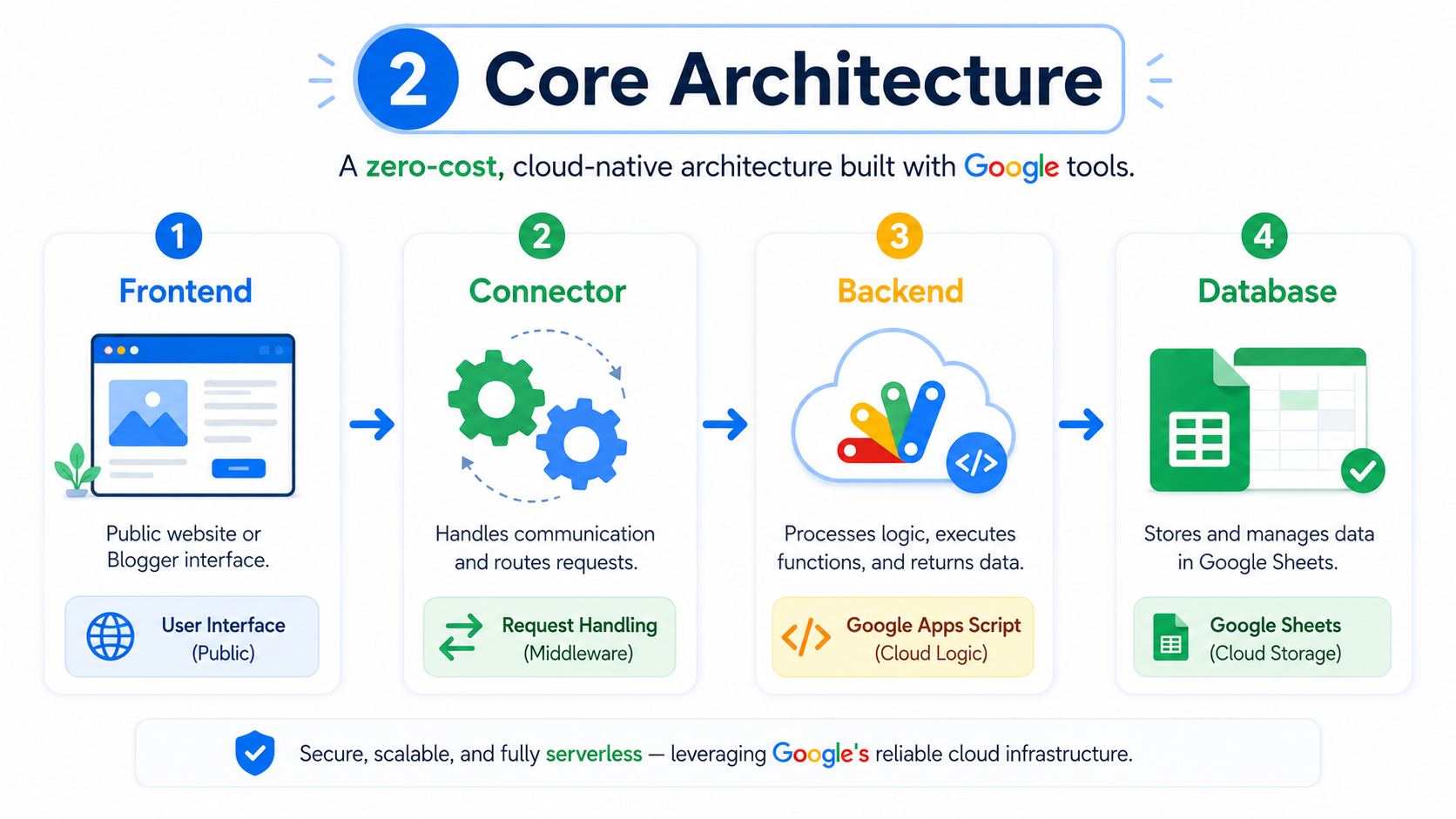
This architecture separates the application into four main layers. The frontend becomes the face of the application, the connector handles communication, the backend processes logic, and the database stores the final data.
Instead of renting a traditional server, the application relies on Google Apps Script as a cloud-based execution layer. The frontend can be hosted on Blogger, a public website, or another static page, while data can be stored in Google Sheets for easier management and reporting.
Frontend Layer
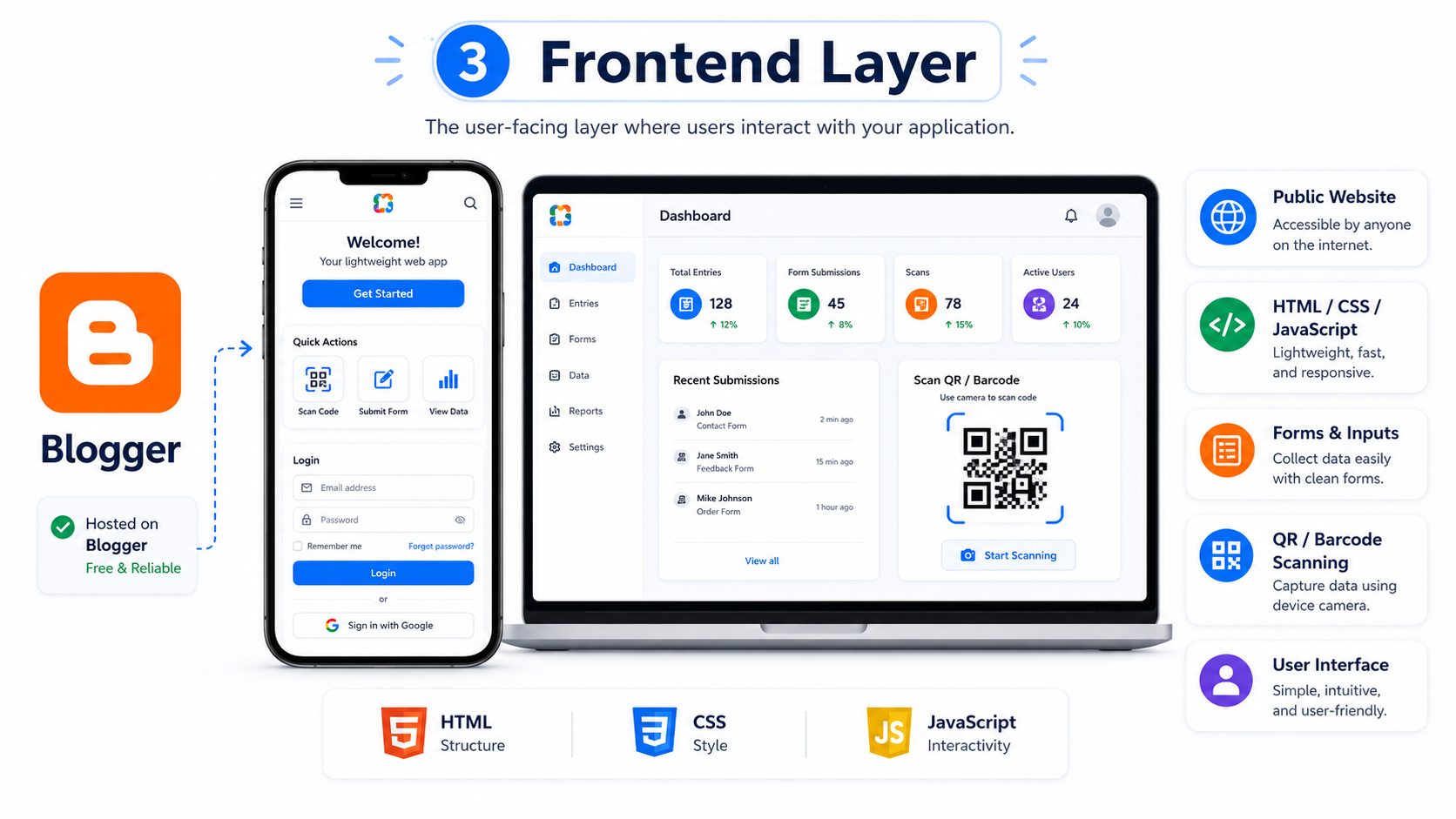
The frontend is the part users see and interact with. It can include forms, buttons, dashboards, QR or barcode scanning pages, login screens, and simple admin panels.
Blogger or a public website can be used to host this interface because it is easy to publish, supports custom domains, and can load HTML, CSS, and JavaScript. When designed properly, the frontend can feel like a professional web application even though it does not run on a traditional hosting server.
Connector Layer
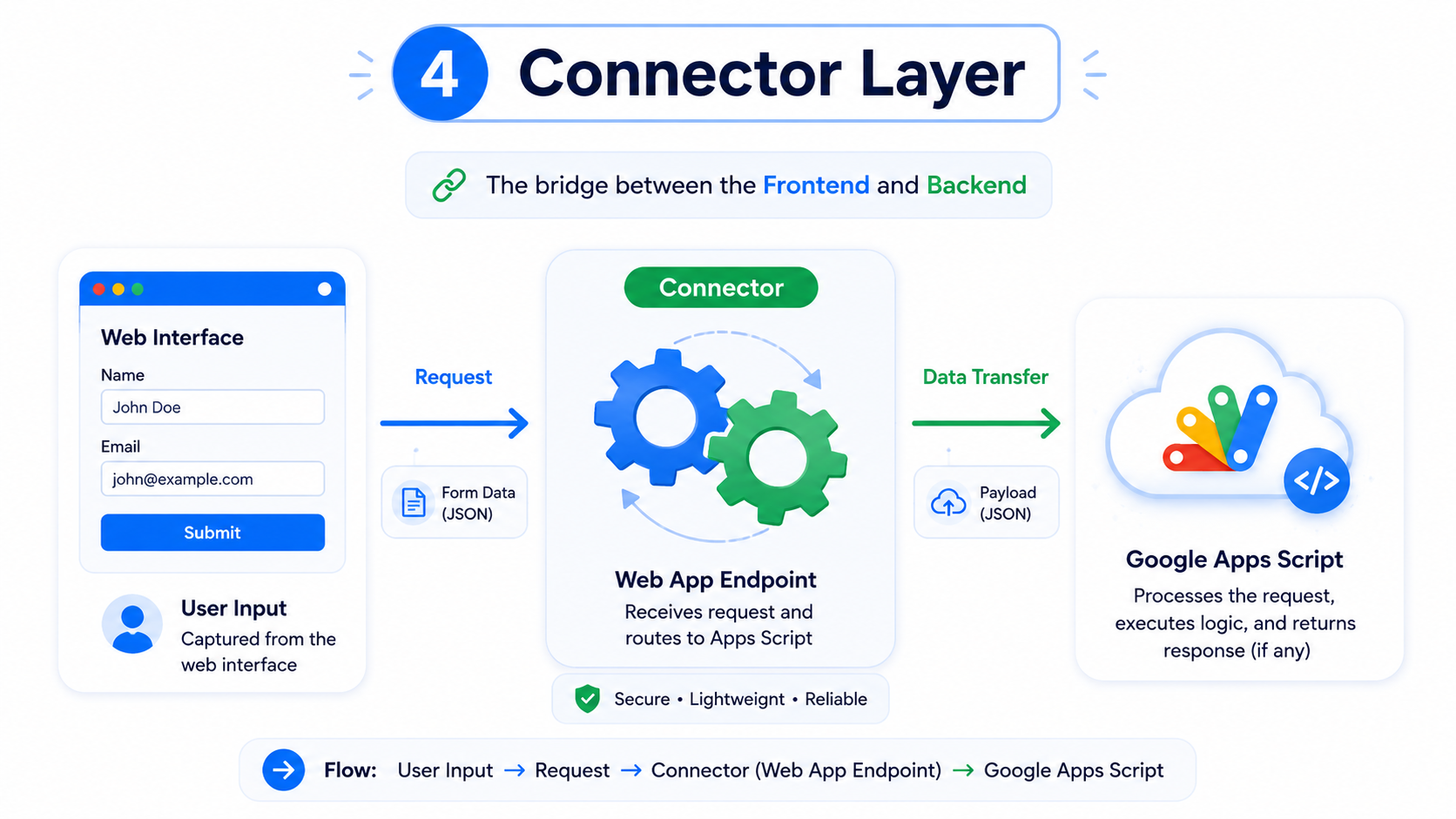
The connector layer is responsible for sending data from the frontend to the backend. In practice, this can be a JavaScript function, a form submission handler, or a small WebApp builder that prepares requests automatically.
This layer prevents the frontend from becoming overloaded with backend logic. The user clicks a button, submits a form, or scans a code, then the connector sends the required data to Google Apps Script through a web app endpoint.
Backend Layer
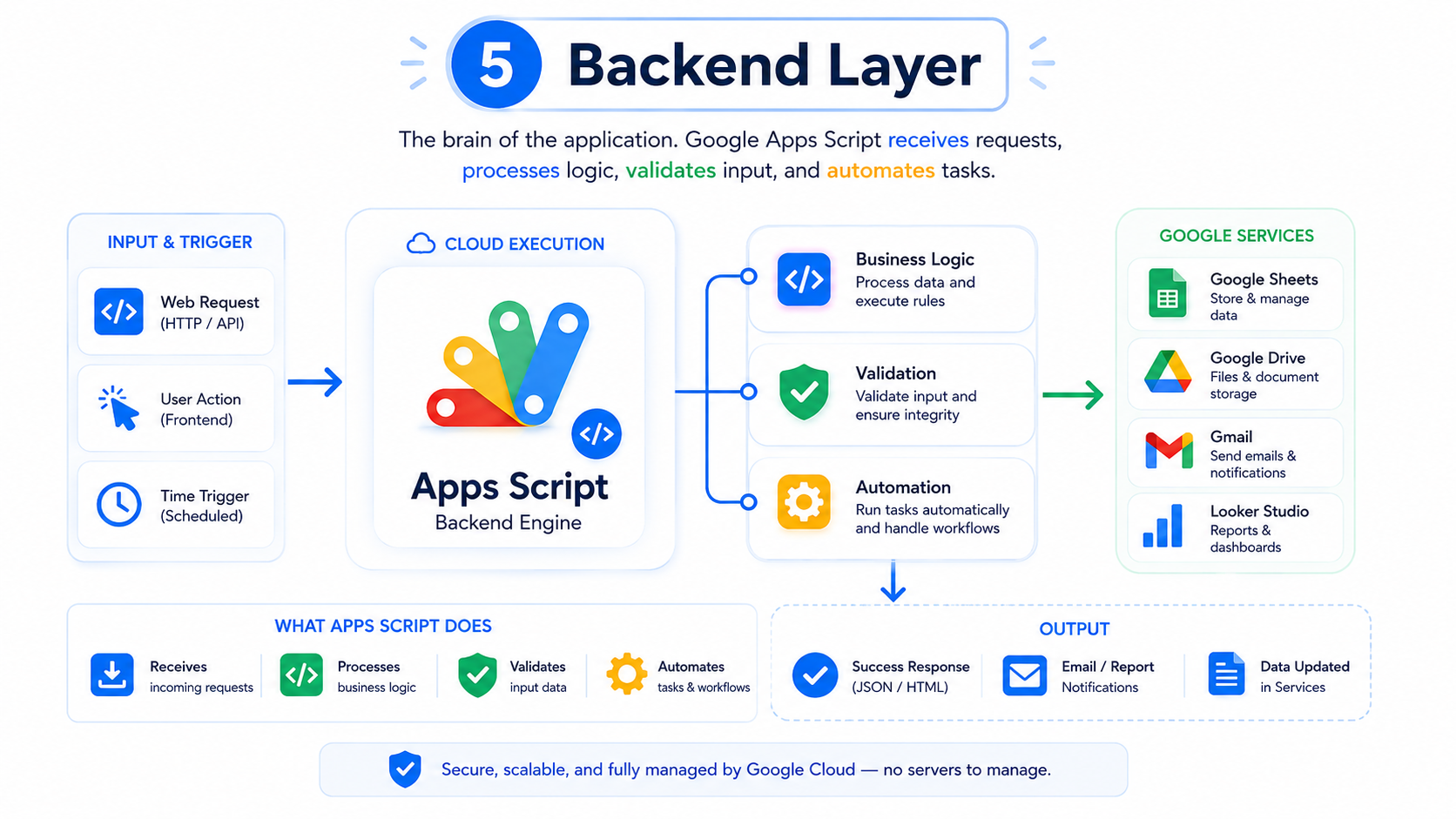
Google Apps Script acts as the backend engine. It can receive requests, validate input, process business logic, write data to Google Sheets, send emails, generate reports, and connect with other Google Workspace services.
This is the main reason the architecture can reduce hosting cost. Apps Script runs in Google’s environment, so small applications do not need a separate VPS or backend server. However, developers still need to design the system carefully because Apps Script has quotas and execution limits.
Database Layer
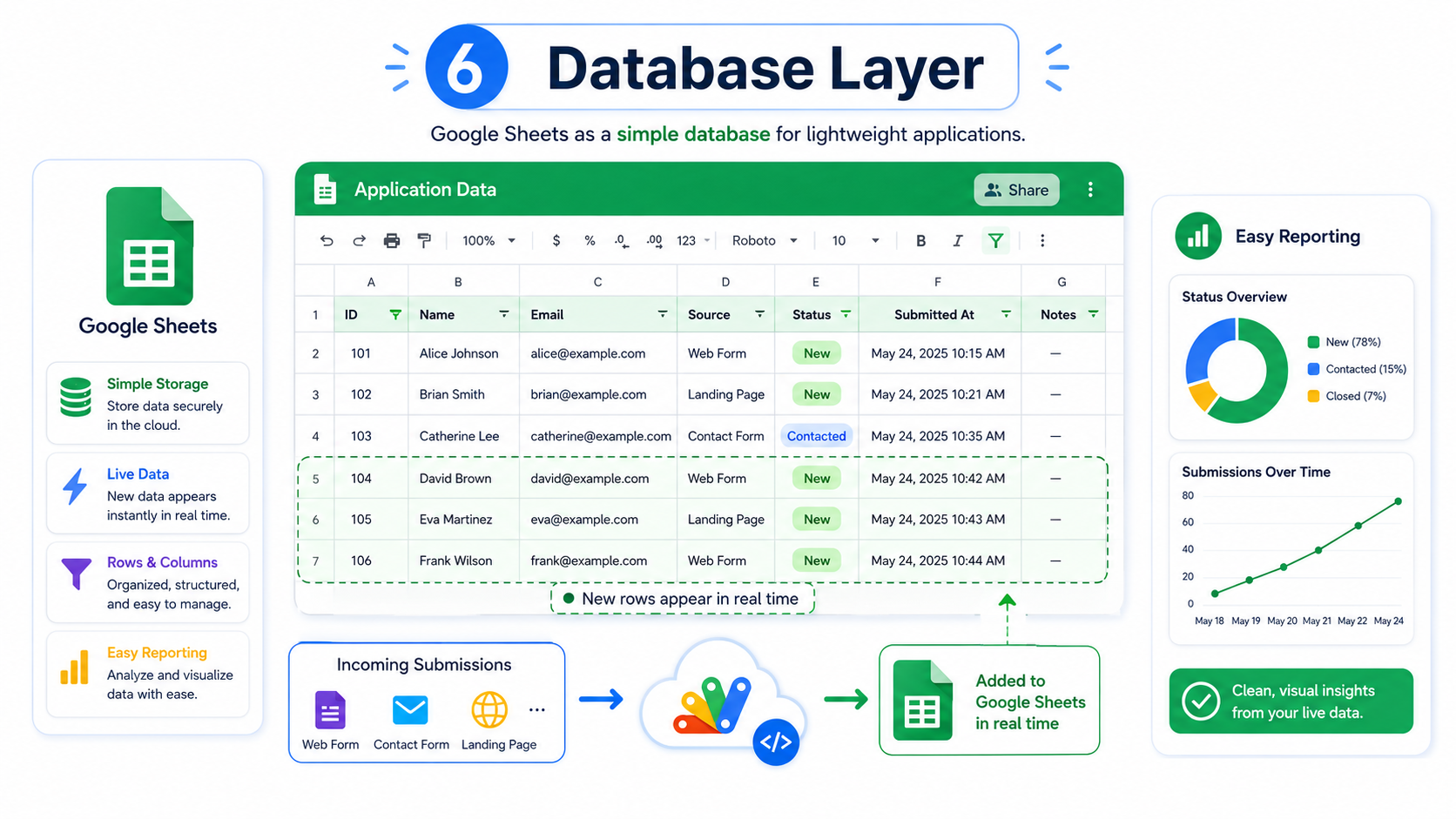
Google Sheets can work as a simple database for lightweight applications. Every submission can be stored in rows and columns, making the data easy to review, filter, export, print, or turn into reports.
This is especially useful for non-technical users. They do not need to understand SQL or database administration. They can open the spreadsheet, check the records, correct data, and generate summaries using familiar spreadsheet tools.
Example Flow
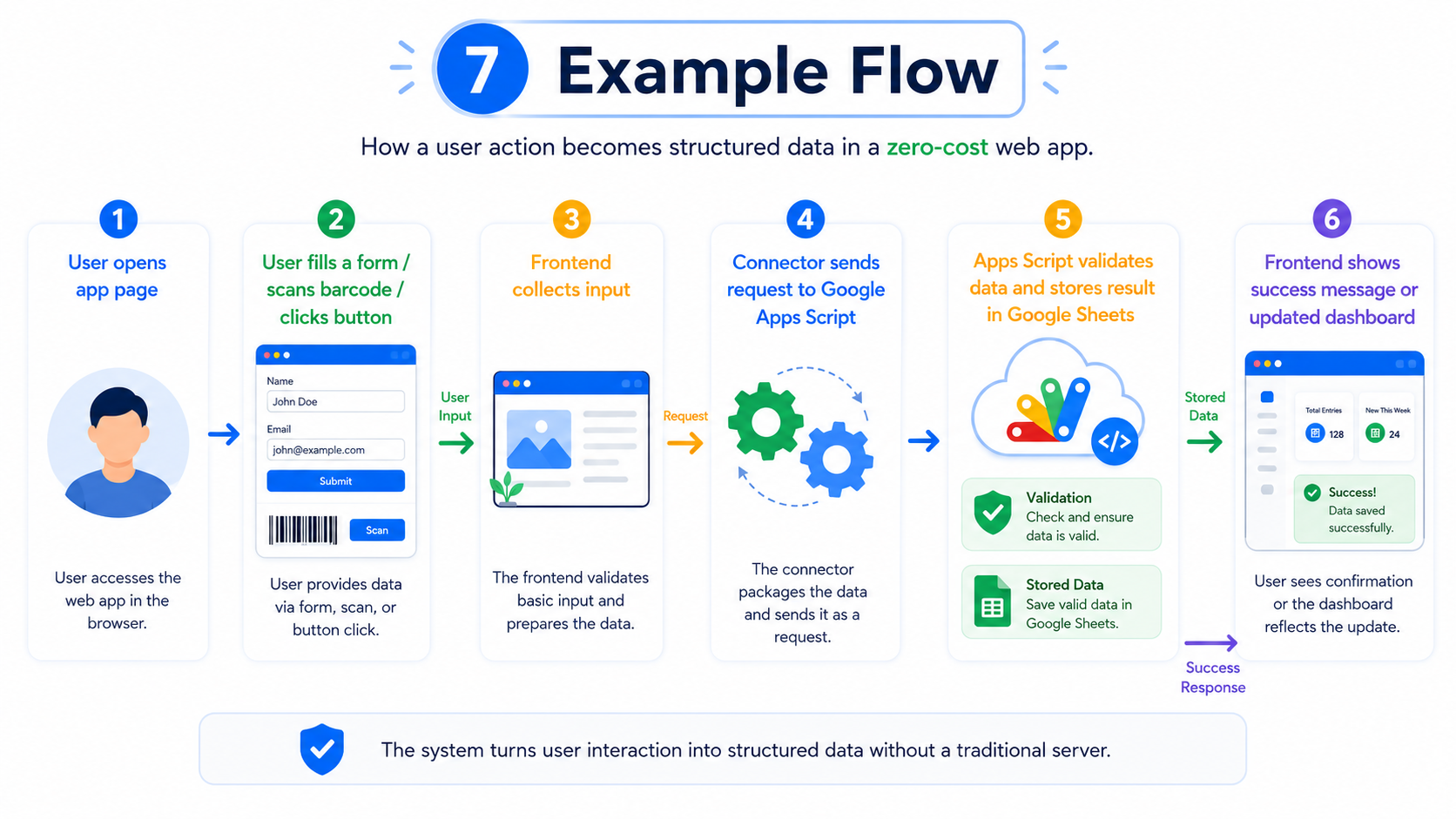
A typical workflow starts when the user opens the application page. The user fills in a form, scans a barcode, or clicks an action button. The frontend collects that input and sends it to the connector.
The connector forwards the request to Google Apps Script. Apps Script validates the data, applies the required logic, and stores the result in Google Sheets. After that, the frontend can show a success message, update the dashboard, or display the latest data.
Practical Use Cases
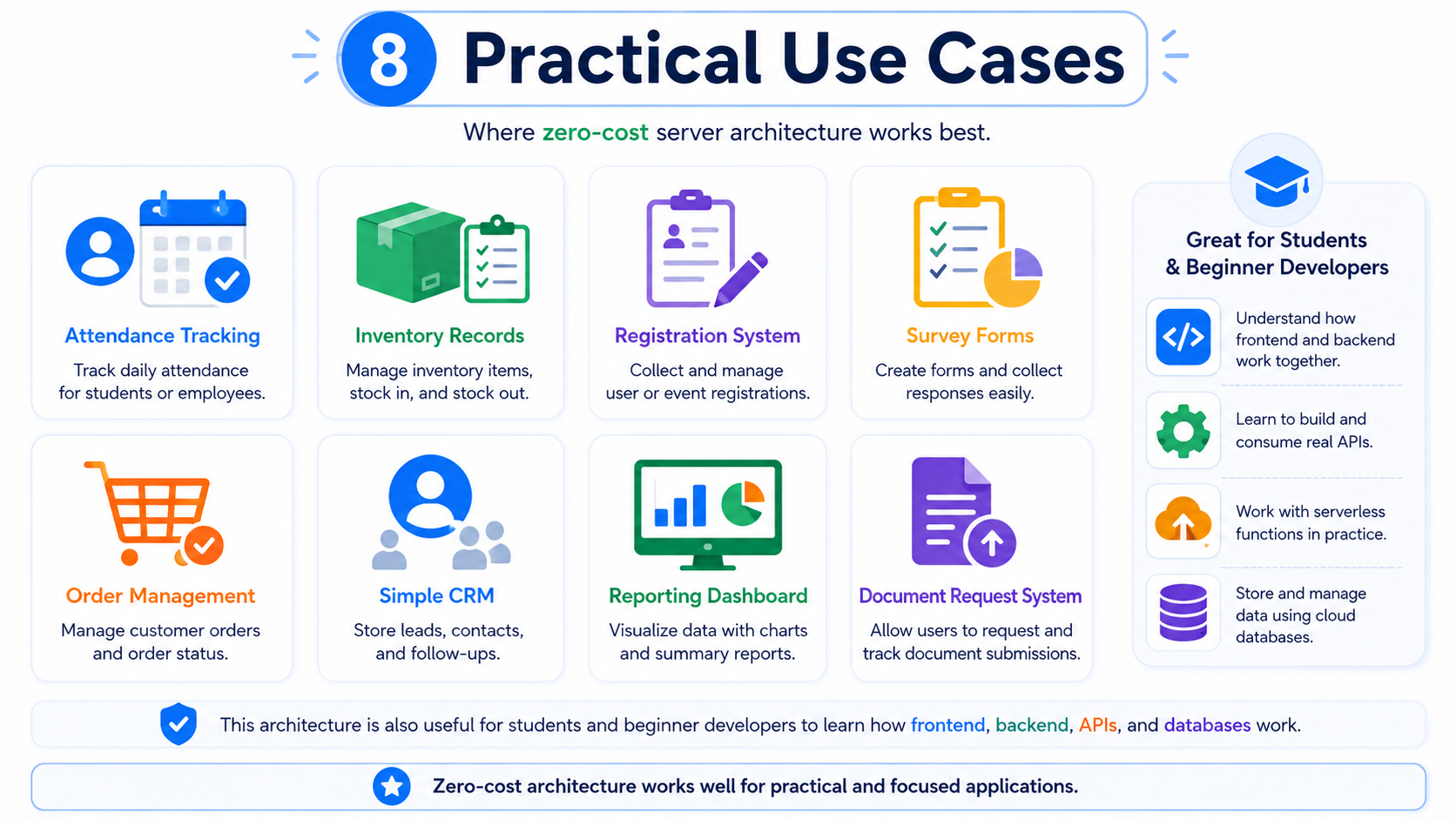
This architecture is suitable for many lightweight applications. It can be used for registration systems, attendance tracking, inventory records, survey forms, order management, simple CRM tools, reporting dashboards, and document request systems.
It is also useful for learning. Students and beginner developers can understand how frontend, backend, API, and database layers work without needing to configure a full server environment first.
Important Limits
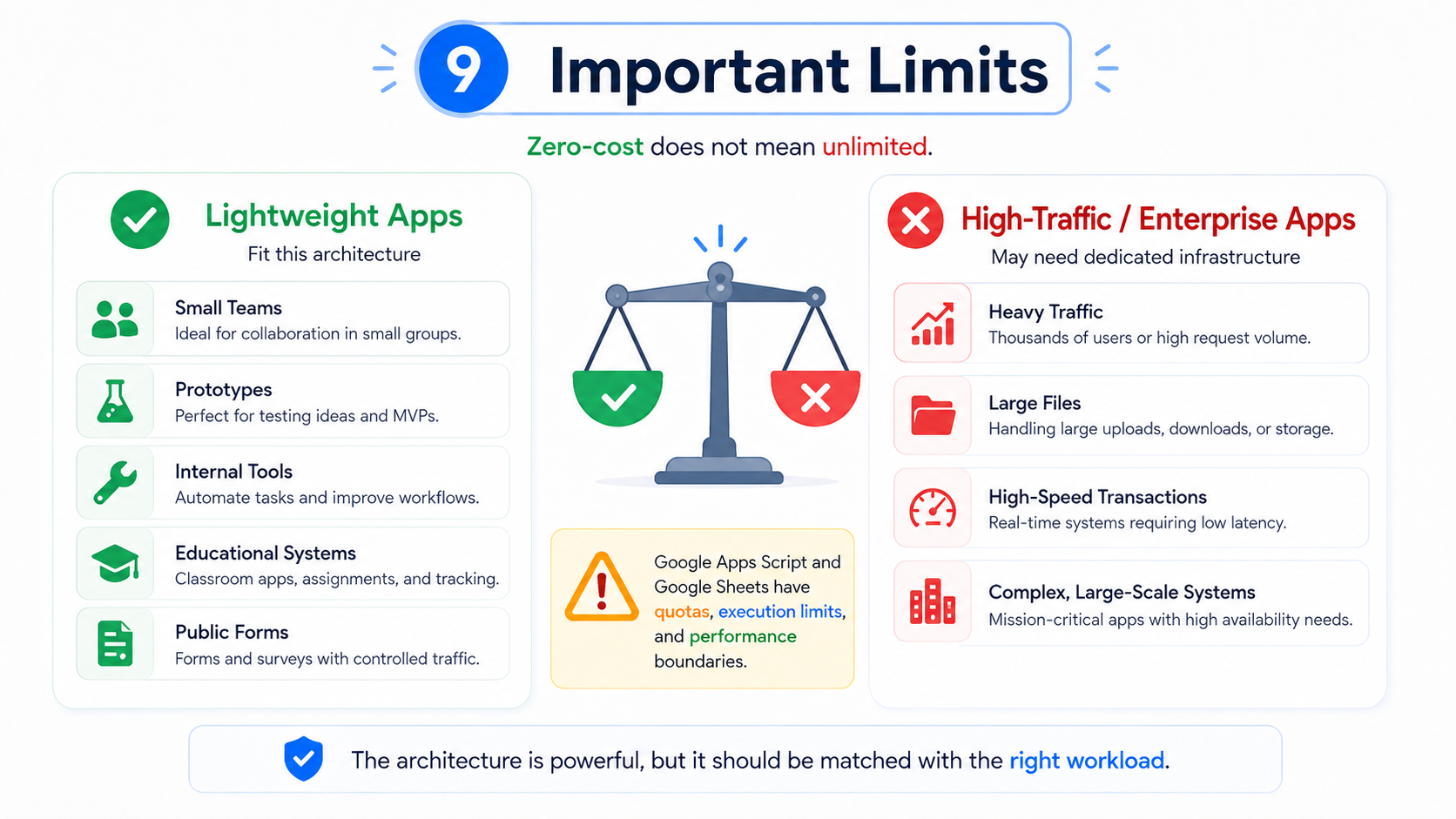
Zero-cost does not mean unlimited. Google Apps Script and Google Sheets have usage quotas, execution limits, and performance boundaries. If the application receives heavy traffic, processes large files, or requires high-speed transactions, a dedicated backend and database may be a better choice.
For professional use, this architecture should be treated as a cost-efficient solution for lightweight workloads. It is best for small teams, prototypes, educational systems, internal tools, and public forms with controlled traffic.
Best Practices
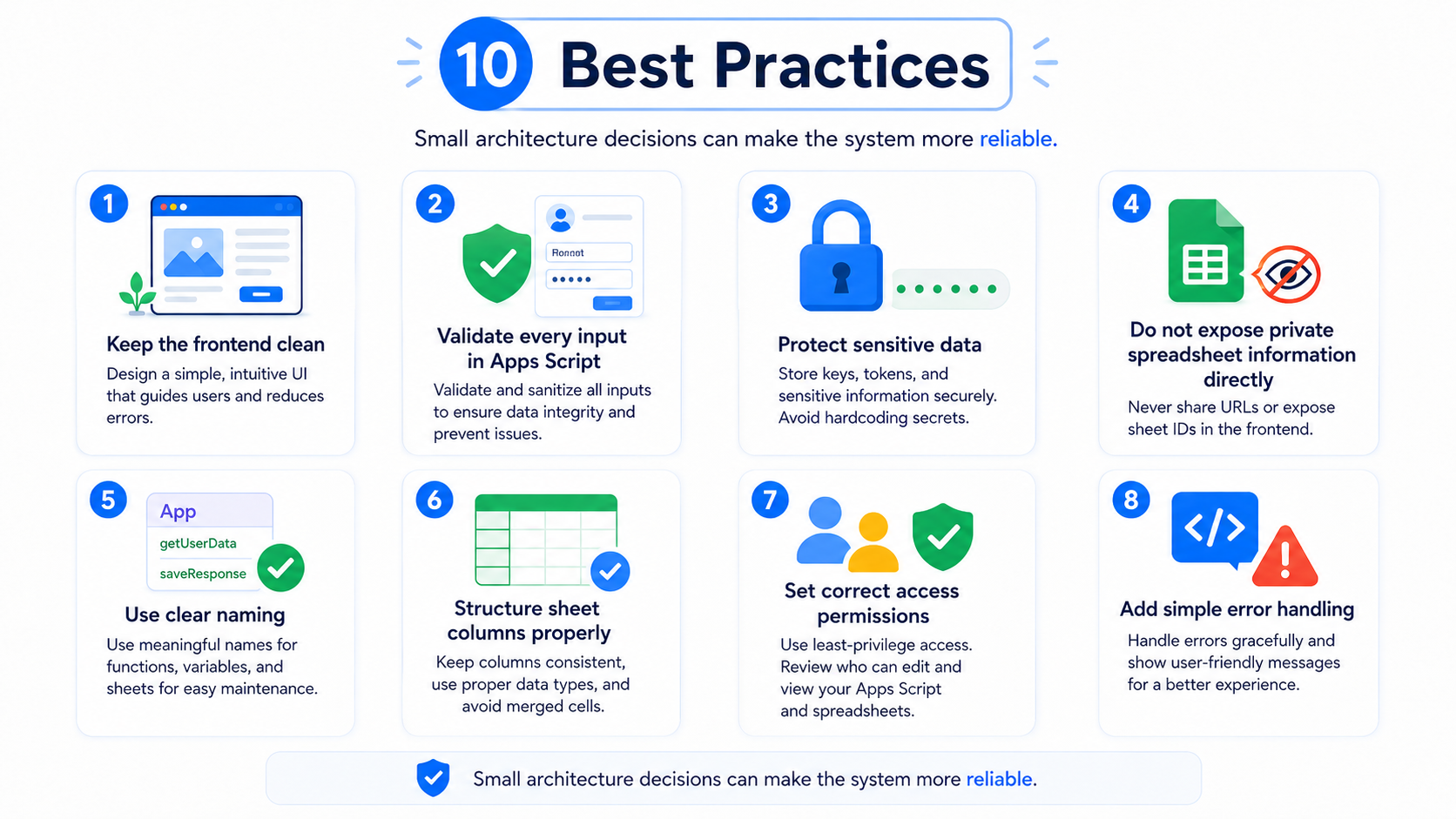
A good implementation should keep the frontend clean, validate every input in Apps Script, protect sensitive data, and avoid exposing private spreadsheet information directly to users.
The application should also use clear naming, structured sheet columns, proper access permissions, and simple error handling. These details make the system easier to maintain and reduce the risk of broken data when more users start using it.
Conclusion
A zero-cost server architecture is a smart way to build useful applications without starting from expensive infrastructure. By combining Blogger or a public frontend, Google Apps Script, and Google Sheets, developers can create practical systems that are easy to publish, manage, and improve.
The key is to use this architecture for the right purpose. For lightweight applications, prototypes, internal tools, and educational projects, it can deliver professional results with very low operational cost.